



While emulators are ideal for speed and scale in early development, real devices are essential for accurately testing performance and user experience in real-world conditions. They function by mimicking the hardware and operating systems of target devices on a developer's desktop or server, allowing for rapid iteration and testing.
In today's fiercely competitive digital landscape, delivering exceptional software is no longer a mere technical objective; it's a cornerstone of brand identity and customer loyalty. With user acquisition ad spend projected to reach a staggering $65 billion globally in 2024, retaining users is paramount. While the median crash-free session rate has risen to an impressive 99.95% in 2024, the challenge of ensuring consistent performance and a flawless user experience across a vast array of devices remains significant.
This is where the fundamental choice between testing on emulators and real devices becomes critical. Emulators offer convenience and speed for initial development, but only real devices can provide the unvarnished truth about how your mobile apps and web application will perform in the hands of actual users, directly impacting your quality assurance efforts and, ultimately, your brand trust.
Here’s my thought on Emulators vs. Physical Devices. Use Both.
- Anthony DeBonis, Program Director, Troy Web Consulting
Emulators: The Convenient Simulation for Early Stages
While emulators are ideal for speed and scale in early development, real devices are essential for accurately testing performance and user experience in real-world conditions.
Emulators are invaluable tools in the initial phases of software development. They function by mimicking the hardware and operating systems of target devices on a developer's desktop or server, allowing for rapid iteration and testing. For developers building mobile apps or web application front-ends, emulators provide a quick and accessible way to:
- Accelerate Initial Development: Developers can quickly test code snippets, UI layouts, and basic functionalities without the need for physical hardware. This speeds up the development cycle significantly, especially for sanity checks and early-stage UI inspection.
- Cost-Effective Testing: Acquiring and maintaining a large inventory of physical devices can be prohibitively expensive. Emulators offer a cost-effective alternative for performing a broad range of initial tests.
- Scalable Testing: Emulators can be easily duplicated and scaled to run multiple tests concurrently, making them suitable for automated unit testing and basic functional checks within a CI/CD pipeline.
- Basic Functional and UI Checks: For straightforward UI element verification and initial functional logic testing, emulators can be sufficient. They allow for a preliminary assessment of how a web application might render or how basic navigation works on a simulated device.
However, the very nature of emulation introduces inherent limitations. Emulators abstract away crucial hardware-specific interactions and real-world complexities. They cannot accurately replicate the intricate nuances of specific hardware configurations, real-world network conditions, battery consumption patterns, or the subtle ways different browser engines render complex graphics and animations.
This abstraction means that bugs related to device-specific performance, thermal throttling, or OS-level integrations may remain hidden, creating a false sense of security. While the DevTools Protocol offers advanced debugging capabilities, its effectiveness in perfectly simulating every aspect of a real device's interaction with its underlying hardware is limited, particularly for advanced OS-level APIs.
Real Devices: The Uncompromising Truth of Performance and Experience
In stark contrast to emulators, real devices—also known as physical devices—offer an unadulterated testing environment. They represent the actual hardware and software configurations that end-users interact with daily.
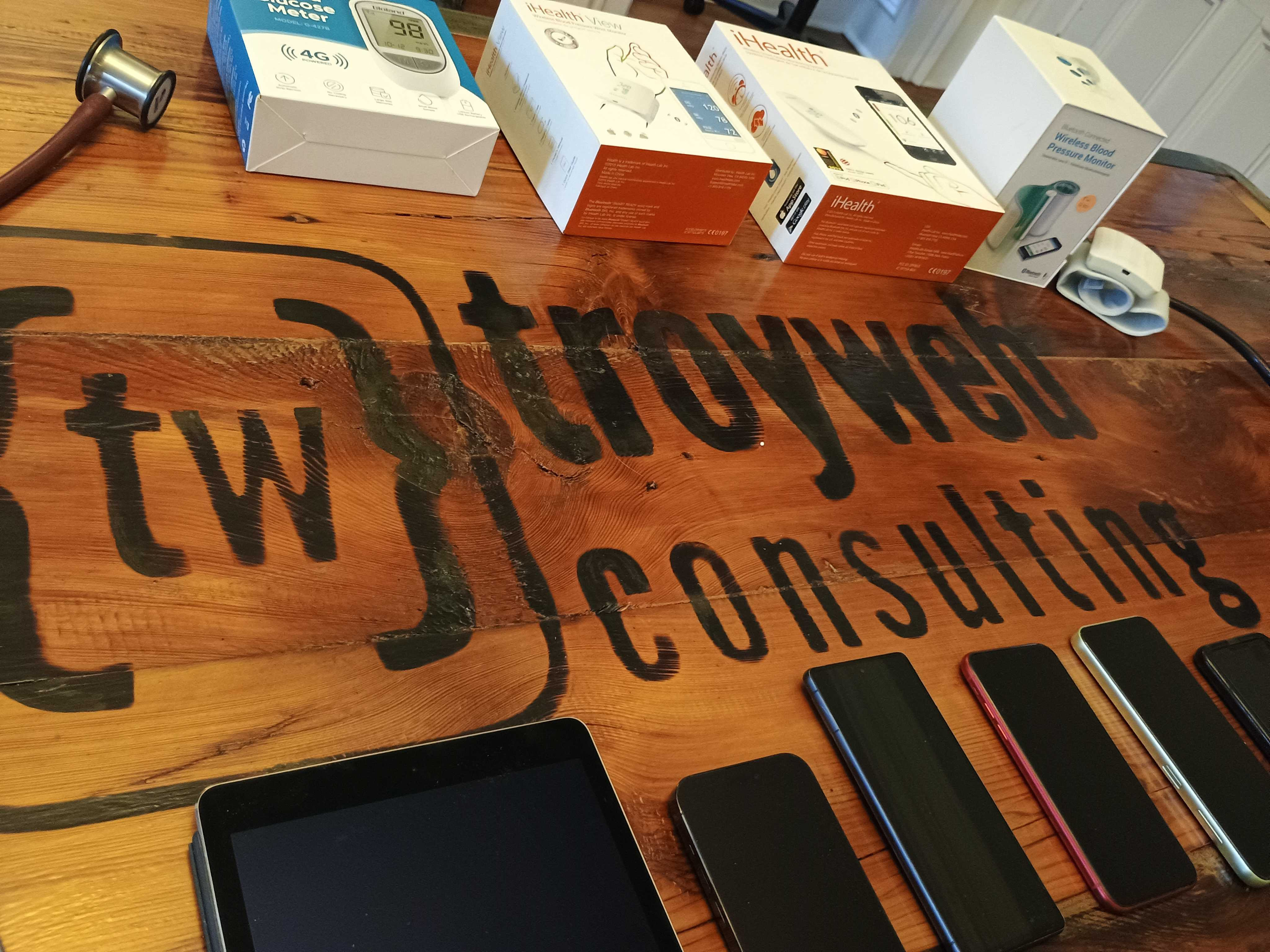
This direct interaction provides unparalleled insight into the true performance, reliability, and overall user experience of your software. The benefits of testing on real devices are profound and directly impact software quality and brand trust:
- Accurate User Experience Simulation: This is the most critical advantage. Real devices perfectly mimic how users will interact with your application, including touch gestures, screen responsiveness, and the overall feel of the interface. This is vital for validating the intended user experience.
- Comprehensive Regression Testing: For both mobile apps and web application, thorough regression testing on real devices is non-negotiable. It ensures that new updates or code changes haven't introduced defects that only manifest on specific operating systems, hardware, or OS versions. This prevents unexpected crashes or functional failures post-deployment.
- Device Fragmentation Mastery: The mobile and web landscape is characterized by extreme device fragmentation. Real devices allow you to validate your software across a diverse range of manufacturers, models, screen sizes, resolutions, and hardware configurations, ensuring broad compatibility and a consistent experience for all users.
- Realistic Network Conditions: Applications perform differently under varying network conditions, from high-speed Wi-Fi to slow, unstable cellular data. Real devices allow you to simulate these real-world network scenarios accurately, identifying potential performance bottlenecks or timeouts that emulators cannot replicate.
- Hardware-Dependent Feature Validation: Many modern applications rely on device-specific hardware and OS-level APIs. This includes geolocation features, camera functionalities, sensors (like accelerometers and gyroscopes), Bluetooth, and NFC. Thorough testing on real devices is essential to ensure these features work as intended and interact seamlessly with the underlying hardware.
- Performance Metrics Beyond Simulation: Emulators struggle to provide accurate performance metrics. Real devices allow you to measure critical aspects like application launch time, memory consumption, CPU usage, frame rates, and crucially, battery drain patterns. Understanding these real-world performance behaviors is key to optimizing your app and preventing user frustration.
- Invaluable Beta Tester Feedback: Engaging Beta testers who use your software on their own real devices provides invaluable, unsolicited feedback. They uncover real-world bugs and usability issues that might be missed in controlled testing environments, directly contributing to a superior user experience.
The Critical Need for Non-Functional Testing on Real Devices
Beyond basic functionality, Non-Functional Testing (NFT) is crucial for delivering robust and reliable software, and this is where real devices truly shine. Emulators often fall short in providing accurate results for these demanding tests:
-
Stress Testing and Load Testing: Understanding how your application behaves under extreme pressure is vital. Stress testing pushes your app beyond its normal operating limits to identify breaking points, while load testing simulates a high volume of concurrent users accessing your web application or mobile apps. These tests are best performed on real devices to observe actual resource utilization, potential crashes, and performance degradation under realistic load.
-
Recovery Testing: This type of testing evaluates an application's ability to recover from failures, such as network interruptions, device reboots, or power loss. Real-world recovery scenarios are complex and often involve hardware-specific states that emulators cannot fully reproduce, making recovery testing on physical devices essential.
-
Visual Regression Testing: While basic UI elements might appear similar, subtle differences in how hardware renders graphics, fonts, and complex animations can lead to visual regression. Accurate visual regression testing ensures consistency across various devices, preventing brand-damaging visual anomalies. Real devices are indispensable for capturing these nuanced rendering differences.
-
Enterprise-Grade Security Testing: For applications handling sensitive data, enterprise-grade security is paramount. Testing how your application handles data encryption, network security protocols, and potential vulnerabilities on actual devices, especially within diverse network environments, provides a more realistic security posture assessment.
-
Geolocation Features Validation: Accurate testing of geolocation features requires devices with functional GPS hardware. Emulators can simulate location data, but they cannot replicate the real-world GPS signal strength, accuracy variations, or how the device interacts with other location services, which can significantly impact user experience.
The Cloud Advantage: Democratizing Access to Real Devices
The undeniable benefits of real device testing are now more accessible than ever thanks to advancements in cloud platforms and device farms. These SaaS platforms offer on-demand access to vast inventories of physical devices, revolutionizing how organizations approach their test suite development and execution:
-
Scalability and Accessibility: Cloud-based device farms, such as SauceLabs Real Device Cloud, provide access to hundreds or thousands of real devices across various operating systems, manufacturers, and versions. This allows teams to test on any device at any time, without the logistical and financial burden of managing an in-house device lab.
-
Cost-Effectiveness: While building and maintaining an in-house device farm is expensive, cloud platforms operate on a pay-as-you-go or subscription model, offering a more predictable and often lower cost for accessing a wide range of devices.
-
Distributed Team Collaboration: Cloud platforms enable geographically dispersed teams to collaborate seamlessly, access the same testing infrastructure, and share test results and device logs, improving efficiency and communication.
-
CI/CD Pipeline Integration: Modern cloud platforms are designed to integrate seamlessly with CI/CD pipelines. This allows automated test suites to be executed on real devices as part of the continuous integration and delivery process, providing rapid feedback on code changes and accelerating release cycles.
By leveraging these cloud platforms, organizations can overcome the traditional barriers to real device testing, making it a practical and essential part of their quality assurance strategy.
Strategic Implementation: Building a Robust Test Suite
Effectively integrating real devices into your testing strategy requires a thoughtful approach that balances their benefits with the efficiency of other testing methods. The goal is not to eliminate emulators entirely, but to use them strategically and prioritize real device testing where it matters most for software quality and brand trust.
-
Designing Effective Test Cases: Your test cases should be meticulously designed to leverage the strengths of each testing method. Emulators are best for early-stage, rapid functional checks, unit tests, and basic UI inspection. Conversely, real devices are indispensable for validating critical user flows, comprehensive regression testing, Non-Functional Testing (including stress testing, load testing, recovery testing, and visual regression testing), and testing hardware-dependent features like geolocation features.
-
Leveraging Automation Libraries: Tools like Appium, Espresso (for Android), and XCUITest (for iOS) are powerful automation libraries that enable you to automate tests on real devices. Platforms like Ranorex Studio also offer comprehensive solutions for test automation across various industries, platforms and devices. Integrating these automation libraries with cloud-based device farms significantly enhances the efficiency and scalability of your real device testing efforts.
-
Cross-Browser Testing for Web Applications: For web application development, cross-browser testing on real devices is crucial. This ensures your site renders correctly and functions as expected across different browsers (Chrome, Safari, Firefox, Edge) on actual mobile devices and desktops, not just simulated browser environments.
-
Complementing API Testing: While API test validation primarily focuses on backend logic, real devices can complement this by testing how these APIs perform within the context of a real client application. This includes verifying response times, error handling, and data rendering in a live test environment.
-
Integrating with Issue Trackers: When defects are discovered on real devices, seamless integration with an issue tracker (like Jira or Asana) is vital. Detailed bug reports, including device logs, screenshots, and videos (which can be captured with tools like a GIF recorder for demonstration), accelerate the debugging process and ensure issues are addressed promptly.
-
The Balancing Act: A pragmatic strategy involves using emulators for initial development and basic checks, and then transitioning to real devices for more complex scenarios, critical user journeys, and all regression testing. This ensures that your application is not only functional but also robust, performant, and provides an excellent user experience across the diverse spectrum of devices your users will employ.
The Undeniable Link: Real Devices as Brand Trust Builders
The decision to prioritize testing on real devices is a strategic investment in your brand trust. In a market where user expectations are higher than ever and app uninstall rates, though decreasing, remain a challenge, delivering a consistently superior user experience is a key differentiator.
When your mobile apps or web application perform flawlessly on a user's own device, it builds confidence and loyalty. Users are more likely to continue using, recommending, and even purchasing from brands that consistently deliver reliable, high-performing software. Conversely, bugs that manifest only on real devices—whether they are performance issues, visual glitches, or functional errors—can quickly erode trust, leading to negative reviews, decreased engagement, and ultimately, lost revenue.
Organizations that use real device testing can find and fix subtle but important issues that emulators hide. This helps prevent problems after launch, reduces brand risk, and keeps promises to users. It means ensuring true hardware acceleration, accurate touch gestures, realistic battery use patterns, and the expected behavior under varied network conditions. Testing on real devices is not just a technical choice; it is a key strategy to protect brand trust, ensure great user experiences, and secure long-term success for software products. The median crash-free session rate of 99.95% in 2024 is a standard best met through rigorous testing on real devices.
Conclusion: The Strategic Imperative of Real Device Testing
In the quest for superior software quality and unwavering brand trust, the distinction between emulators and real devices is not merely a technical nuance; it's a strategic imperative. While emulators serve a vital purpose in accelerating early development and basic testing, they cannot replicate the complex, real-world interactions that define a user's true experience.
Real devices are the ultimate arbiters of quality, offering unparalleled accuracy in simulating user experience, validating intricate performance metrics, and ensuring compatibility across the fragmented landscape of operating systems and hardware configurations. They are indispensable for critical regression testing, robust Non-Functional Testing including stress testing, load testing, and recovery testing, and for verifying hardware-dependent features like geolocation features and enterprise-grade security.
By embracing cloud platforms and device farms, organizations can democratize access to these essential testing environments, integrating them seamlessly into their CI/CD pipelines and enabling a more efficient and scalable QA challenge. Designing effective test cases that strategically leverage both emulators and real devices, alongside powerful automation libraries, is key to building a comprehensive test suite.
Ultimately, investing in real device testing is an investment in your brand. It's about delivering on the promise of quality, reliability, and an exceptional user experience that fosters loyalty and drives success. As businesses continue to pour billions into user acquisition, ensuring that every user interaction is positive, seamless, and reliable on their actual device is the most effective way to build and maintain the trust that defines a leading brand.
To learn more about our processes link this we've learned over 20+ years designing, building and testing high quality software, set up a time with us to chat. Our team members love what they do and would be happy to chat with you.
Frequently Asked Questions
What are emulators and how do they work in software testing?
Emulators are software tools that mimic a target device's hardware and operating system on a desktop or server. They allow developers to quickly test code, UI layouts, and basic functional logic during early development without needing physical hardware.
What are the common limitations of using emulators for app testing?
Emulators abstract away real-world complexities and hardware nuances. They cannot accurately replicate specific hardware configurations, thermal throttling, actual battery consumption, or the subtle ways different browser engines render complex graphics.
What are the differences between real device testing and emulator testing for software?
While emulators provide speed and cost-effectiveness for initial functional checks, real device testing offers the "unvarnished truth" of performance. Only real devices can accurately validate hardware-dependent features like GPS and sensors, capture realistic battery drain, and ensure a flawless user experience across fragmented devices and varying network conditions.
Share this article