



Discover how design systems transform software development. Learn how design systems improve efficiency and consistency in web projects.
What Is a Design System?
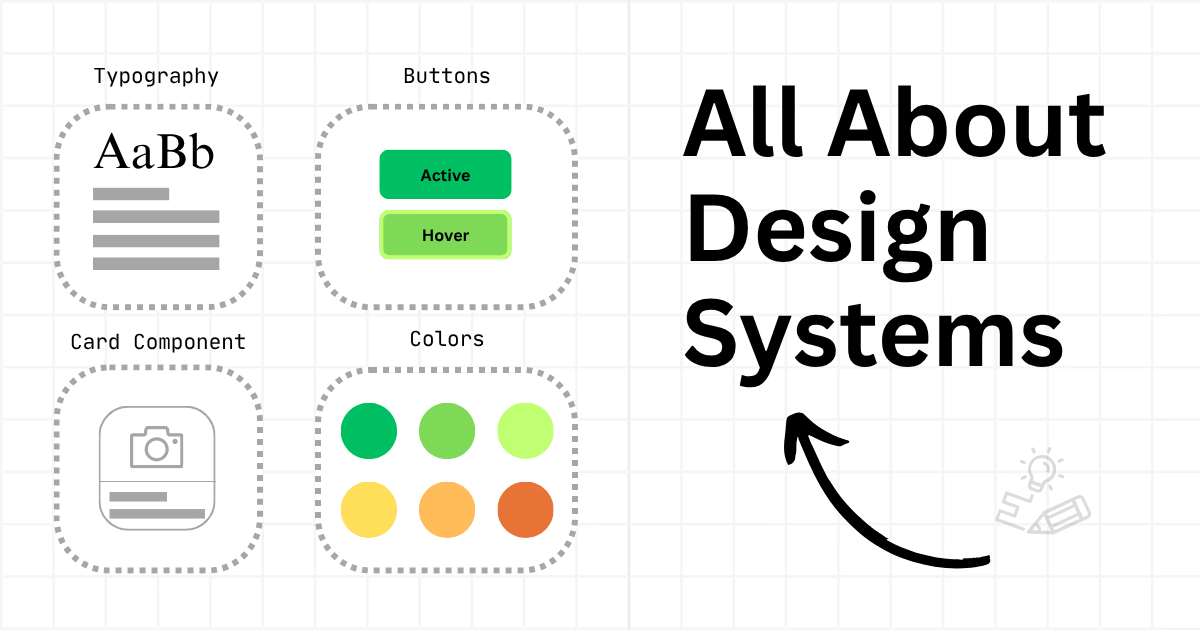
A Design System is a comprehensive collection of reusable UI components, design patterns, and rules. These components guide how software interfaces are developed. It includes both visual guidelines—like typography, colors, and spacing—and functional components like buttons, forms, and modals. If software is a house, consider the Design System as the blueprint. It ensures that everyone on the team understands how every facet of the software should operate.
Typically, they encompass:
-
Component libraries for developers.
-
Style guides for designers.
-
Design tokens (colors, spacing, typography) to maintain consistency.
-
Documentation of interaction patterns and usage guidelines .
💡Establishing patterns early in the system, such as colors, prevents deviations in the styles throughout the software’s lifecycle.
In today’s fast-paced digital landscape, teams need to build software quickly without sacrificing quality. One of the best ways to ensure this happens is by using Design Systems . For organizations creating software applications, like web apps and mobile experiences, a Design System offers a single source of truth. This helps designers, developers, and stakeholders work together using a common visual and functional language.
We've seen firsthand how Design Systems can transform software development by improving consistency, reducing development time, and elevating the overall user experience. They help organize the creative process. By making it easier to build software and improve internal tools, Design Systems significantly speed up delivery.
The Importance of Design Systems
Quick Overview
With the ongoing shift towards digital solutions, understanding Design Systems becomes crucial. They provide guidance on creating a cohesive user interface, ensuring that every part of the software fits seamlessly together.
Design Systems in Action
Implementing a Design System isn’t just about more efficient software creation; it's about creating a better product experience. For your team, it means quicker iteration cycles and a more straightforward design and development process.
How Do Developers Use Design Systems?
Developers rely on Design Systems as a reference and toolkit to construct consistent, reusable UI components across digital products. These systems offer standardized code, style rules, and documentation that correspond with design assets. They help developers write cleaner code, speed up development, and ensure apps and websites maintain visual and functional consistency.
Using a Design System empowers software development teams to make design choices that are reliable and easy to replicate. This approach prepares the system for future scalability. Additionally, it aids new team members and stakeholders in quickly grasping the project details, thus accelerating the process of integrating new features.
Why Use a Design System?
Consistency is key to establishing a polished, trustworthy software system. A Design System works as a shared language between designers and developers, minimizing friction and ensuring alignment. It simplifies the delivery of a cohesive user experience across screens, devices, and platforms.
Without a Design System, teams often depend on siloed styles, or duplicate and outdated components. This fragmentation can lead to UI inconsistencies, accessibility issues, and poor usability, especially as a software application expands.
Design Systems streamline the design and development process. Teams do not need to create components from scratch every time. Instead, they can draw from a central library of approved elements, thus expediting sprints and reducing review cycles. This is invaluable when deadlines are tight, especially with multiple teams working concurrently. A well-executed Design System can significantly reduce the time from concept to delivery, enabling organizations to get features into users' hands more quickly.
Troy Web Consulting emphasizes cross-functional collaboration. A Design System enhances that collaboration by establishing a common framework for both design and development teams. Designers work in tools like Figma or Storybook, where they build layouts using the same components that developers will implement. This minimizes miscommunication, rework, and code debt.
Sneak peek of an in-progress Figma file from our Design Team
As software evolves, Design Systems provide a solid foundation for scaling. New team members can onboard more efficiently, software updates are easier to roll out, and experiments can take place without compromising the overall UI. This establishes a healthy balance between creativity and structure.
When combined with principles like atomic design, Design Systems offer versatility while upholding visual and functional integrity. They also help future-proof development for additional components that may be needed as a software application grows.
An often-overlooked benefit is built-in accessibility. By standardizing components with accessibility integrated from the onset of the Design System, teams can mitigate potential issues down the line. This includes keyboard navigation, screen reader support, and adherence to contrast ratios.
Design Systems in Action
Let’s consider launching a new SaaS platform. With a Design System, you gain significant advantages:
-
You can utilize a button component that already has responsive behavior and accessibility features.
-
Design and development teams can refer to a style guide that ensures brand colors, spacing, and fonts are consistent.
-
New feature rollouts can reuse components from established screens, cutting down on testing time.
-
A new page component requires less design time due to existing conventions.
-
Feedback from stakeholders can be quickly integrated without the need to rewrite foundational code.
This illustrates how Design Systems transition development from mundane tasks to value-added innovation.
One of the world’s largest rideshare services; Uber, uses Design Systems and dives into the details in their most recent deep dive from their lead designer.
Common Misconceptions
“Design Systems are only for large teams.”
This is false. Even small software development teams benefit from the clarity and efficiency a Design System provides. It prevents inconsistencies in the future and simplifies onboarding as the team expands.
“They limit creativity.”
This is another myth. A well-constructed Design System is flexible. It outlines design languages without imposing rigid templates. Think of it as establishing boundaries so designers can focus on solving real user problems rather than styling each new button from scratch.
“They’re hard to maintain.”
Only if they aren’t built strategically. A successful Design System should evolve over time. It needs to be guided by clear processes and be adaptable to the changing needs of the software system.
Building a Design System: Key Considerations
Adopting a thoughtful approach to creating Design Systems is essential. Here are some recommendations:
-
Start small: Focus on core UI components (buttons, forms, alerts) and then expand from there. According to the atomic design principle, these are the ‘atoms’.
-
Document everything: Include usage guidelines, edge cases, and accessibility notes—it all matters.
-
Collaborate across teams: Designers and developers should work together to build the system.
-
Test and iterate: Just like any software application, your Design System should be validated with real users.
Real-World Benefits
Committing to a robust Design System yields tremendous benefits for your team:
-
Reduced UI bugs and misalignments.
-
More consistent releases.
-
Decreased design and development debt.
-
Enhanced team velocity.
-
Greater user satisfaction.
These outcomes are not just theory—they are realities we’ve delivered for clients across diverse industries, from environmental agencies to health technology firms.
My Essentials 2025 Modernization
My Essentials - Frontend Redesign
As part of a significant modernization effort for 2025, Troy Web is implementing a Design System for MyEssentials. This transformation will turn the platform into a scalable, enterprise-ready solution. With Vue 3 at its core, the new Design System will streamline development and enhance usability for platform users, ensuring a consistent experience across every interaction.
By introducing flexible, component-based design, the platform empowers MyEssentials teams to manage plans and workflows more effectively—thereby minimizing tech overhead and significantly boosting the daily user experience.
View the My Essentials Portfolio
Looking Ahead
Design Systems are not a trend—they’re a strategic asset. As digital systems grow more complex and teams become more distributed, the ability to deliver polished, consistent experiences at scale will be essential. Organizations that invest in systems thinking today will be better positioned to innovate tomorrow.
At Troy Web Consulting, we view Design Systems as more than just tools—they represent a mindset that champions collaboration, quality, consistency, and user-focused design.
Interested in how a Design System could streamline your website and software development? Let’s talk about how we can help.
Frequently Asked Questions
What is the main purpose of a design system?
To create consistent, scalable, and efficient digital experiences by standardizing components, patterns, and guidelines across teams.
How long does it take to build a design system?
Small systems can take a few weeks. Larger systems evolve over several months. The timeline depends on team size, product complexity, and required documentation.
Do design systems work for custom software?
Yes. They provide structure and predictability across custom platforms, where consistency is often harder to maintain.
Can design systems reduce development cost?
Yes. Reusable components lower build time, reduce rework, and decrease long-term maintenance expense.
Share this article